„Endlich ein Tool, das unsere komplexen Abläufe in der Fertigung einfach abbildet. In Echtzeit, und es macht sogar Spaß.“ [freizugeben][Name, Rolle]
Orders, machines, people.
Orchestrated in real time.
With Holothread, you stay on top of your production, even when plans change throughout the day. See exactly where each order stands, who's working on it and where bottlenecks are forming. Holothread shows you what needs attention next. You decide. You stay in control. Built for job shops and contract manufacturers handling high-mix, low-volume production.
Works with your existing hardware. Up and running in days, not months.The production plan is set.
But the shopfloor has other plans.
A customer calls. They need their order earlier than planned. Can you make it happen? The ERP shows the order as “released,” but the last update was two days ago. Nobody knows exactly where the order stands or which jobs need to be rescheduled. The problem isn't a lack of software. It's the missing connection between ERP, planning, and the shopfloor.
Paper travelers instead of live status
The latest job status is written on a piece of paper somewhere on the shopfloor. And chances are, it's already out of date.
Walking the shopfloor just to check status
To find out where a part is, someone has to walk across the shopfloor and ask around.
Queues you can't see
Each production area plans its own work, with little visibility into what's coming from upstream. Jobs pile up before heat treatment or quality inspection, and bottlenecks only become obvious when delivery dates are at risk.
Reporting at the end of the shift
Production times and quantities are entered at the end of the day. If they're recorded at all. By then, no one knows that a machine was already available for the next job hours earlier.
Sound familiar?
- What happens if your key production planner is away for two weeks?
- Do you really need another machine, or are parts spending too much time waiting between operations?
- Do you know which orders actually make money?
- Which delivery dates are at risk right now?
- Where can we fit in an urgent order?
- How fully utilized are your people and machines today?
- Do you know what needs to get done today and this week, and in what order?
- How often does someone ask you, “How much longer?”
- Do you still have to enter working hours from paper job travelers or Excel at the end of the day?
With Holothread, you have the answers. And many of those questions don't even need to be asked anymore.
Your ERP knows the plan.
Holothread shows what's actually happening.
See what's happening in real time→Spot bottlenecks→Get more out of your machines and team
How an order moves through Holothread
- 1
Customers and projects
Synced from your ERP or CRM, or created directly in Holothread.
- 2
Production orders
Set up in minutes with production steps, drawings, CAD files, requirements, and work instructions.
- 3
Production planning
Schedule machines and operators, adjust priorities, and coordinate both high-level and detailed planning across production areas.
- 4
Execution
Every workstation has the information it needs, always up to date. Operators report progress directly from the shopfloor using a mobile app or shared terminal.
- 5
Value stream and insights
Machine utilization, lead times, deviations, and actual job costs. All available for better scheduling and calculations. In just a few clicks.
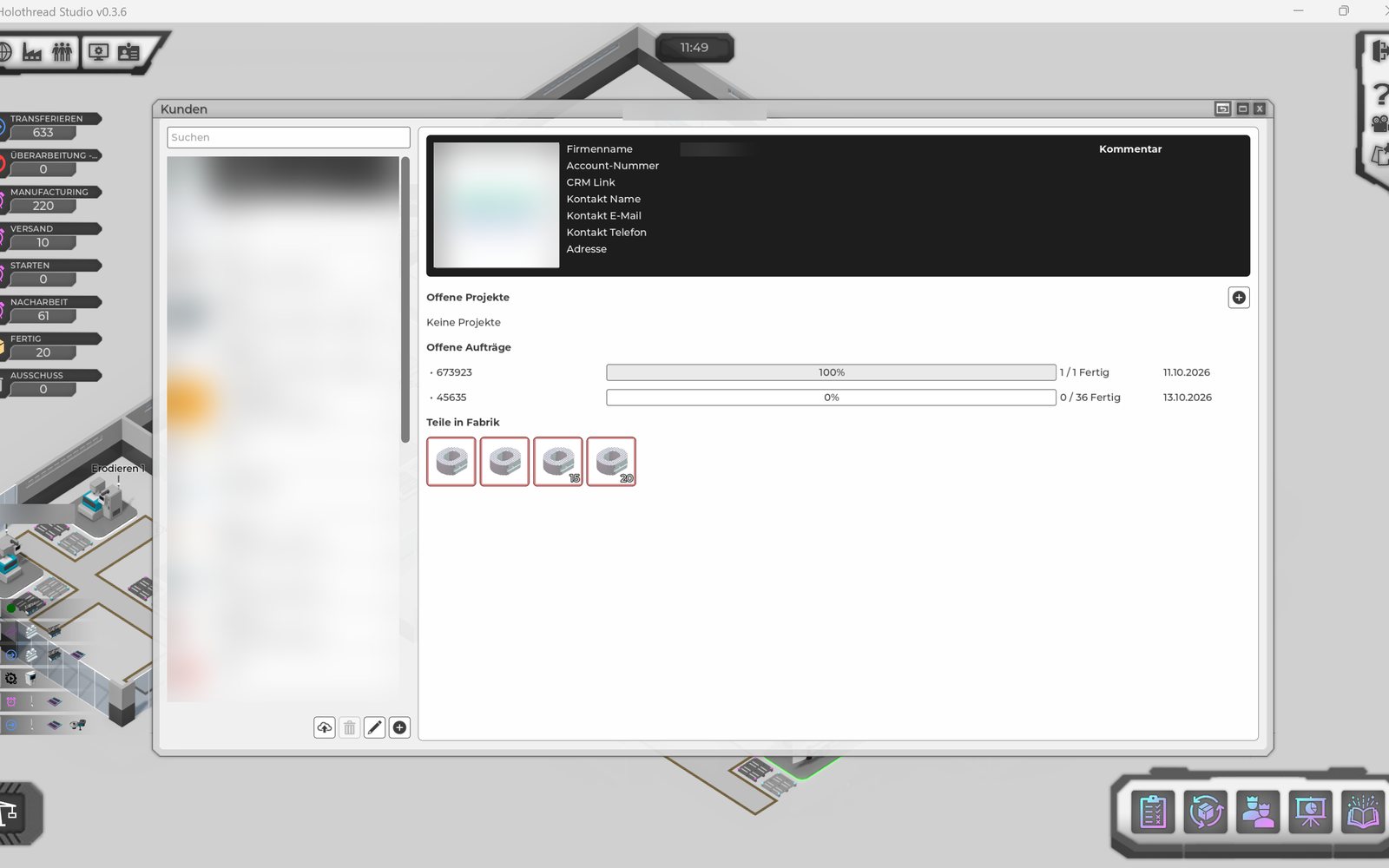
1 · Customer database
All customers, projects and orders in one place
Customers come from your ERP or CRM, or are created directly in Holothread. For each customer you see open projects, running orders with their progress, and the parts currently on the shopfloor.
2 · Create project and order
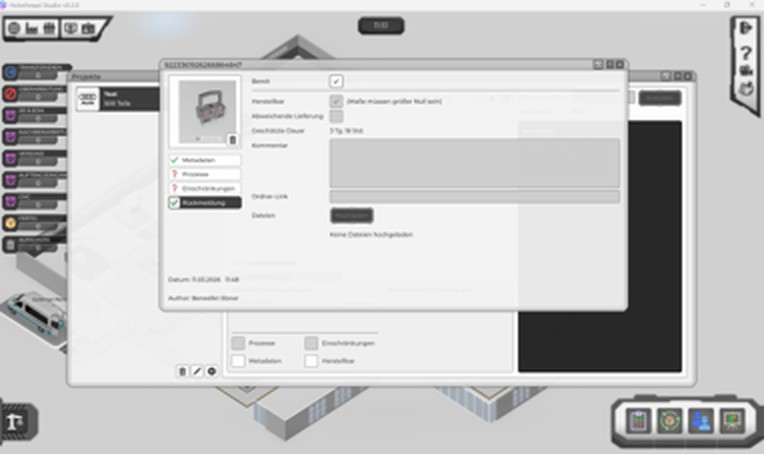
One order, all the information
Part, production steps, drawings, CAD files and work instructions belong to the order. Select constraints such as machine type, material or process right away. Cost estimation happens in the same step.
Holothread suggests. You decide.
Plan and schedule machines, operators, and job sequences with smart recommendations. When an urgent order comes in, see immediately where there's capacity to fit it in.
Report progress in just a few taps
Every workstation shows what's coming next. Operators can report job starts, completions, and issues, with comments and photos. Production data is captured as work happens, without extra paperwork.
Utilization, lead times and costs at a glance. All in just a few clicks.
Every part is stored with its drawings, CAD files, process route, production times, and history. The library grows automatically with every order, making it easy to reuse existing data for future jobs.
Track live where your parts are, which operations are complete and what comes next. Even when parts from different orders are processed together as a batch, their history stays traceable.
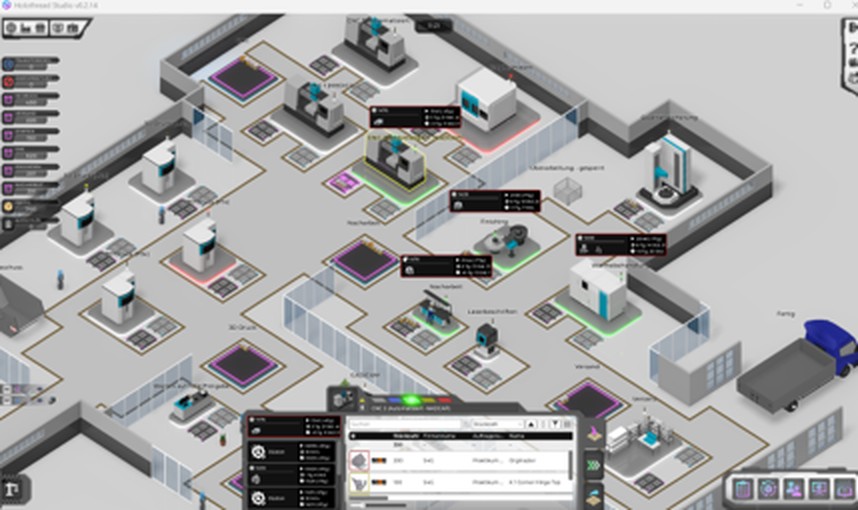
You're looking at the real Holothread software with demo data.
- Active jobs and operators setting up machines
- Parts waiting at each workstation, including parts from different orders
- Parts moving to their next production step
- Workload and bottlenecks at a glance
- Live activity log showing what's happening on the shopfloor
One clear view. Everyone sees what matters.
“Can we meet our delivery dates without hiring more people?”
See which orders are profitable and make reliable delivery commitments based on real production data. Your manufacturing know-how (DNA) stays in the system, not just in people's heads.
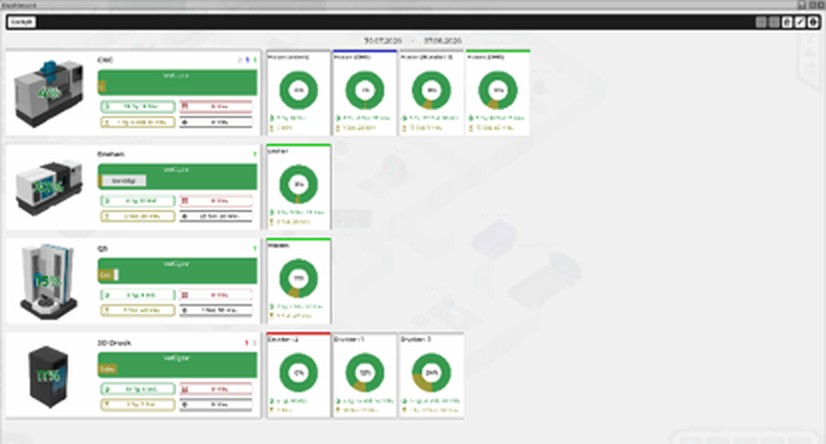
Capacity dashboard: Utilization by production area and machine (demo data)
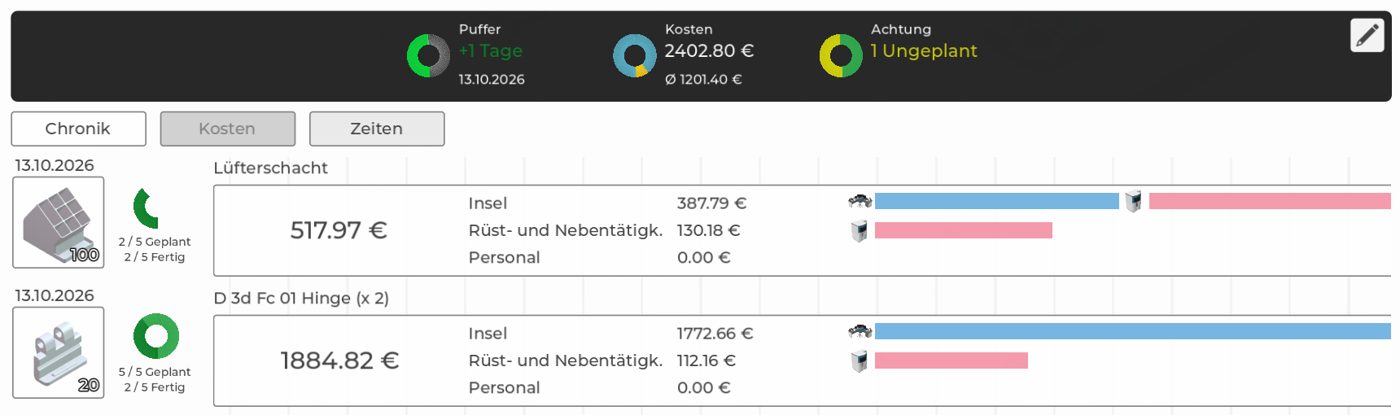
Actual job costs by order (demo data)“How do I stay in control when everything changes tomorrow?”
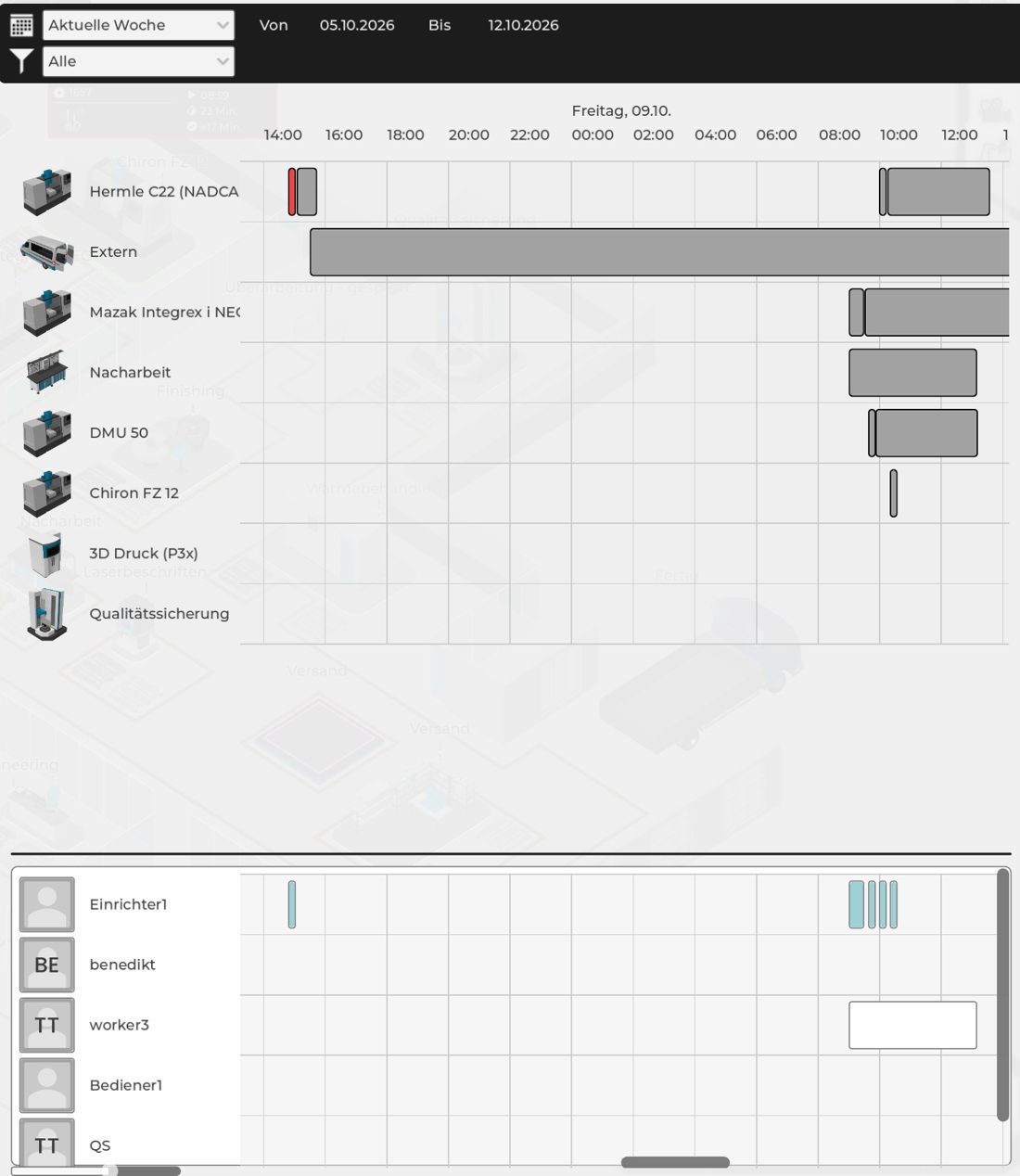
See your production schedule at a glance, from high-level planning to detailed scheduling. Spot bottlenecks before delivery dates are at risk. When plans change, every workstation and operator gets the update immediately.
Machine and operator scheduling (demo data)“Can I show auditors exactly who did what and when?”
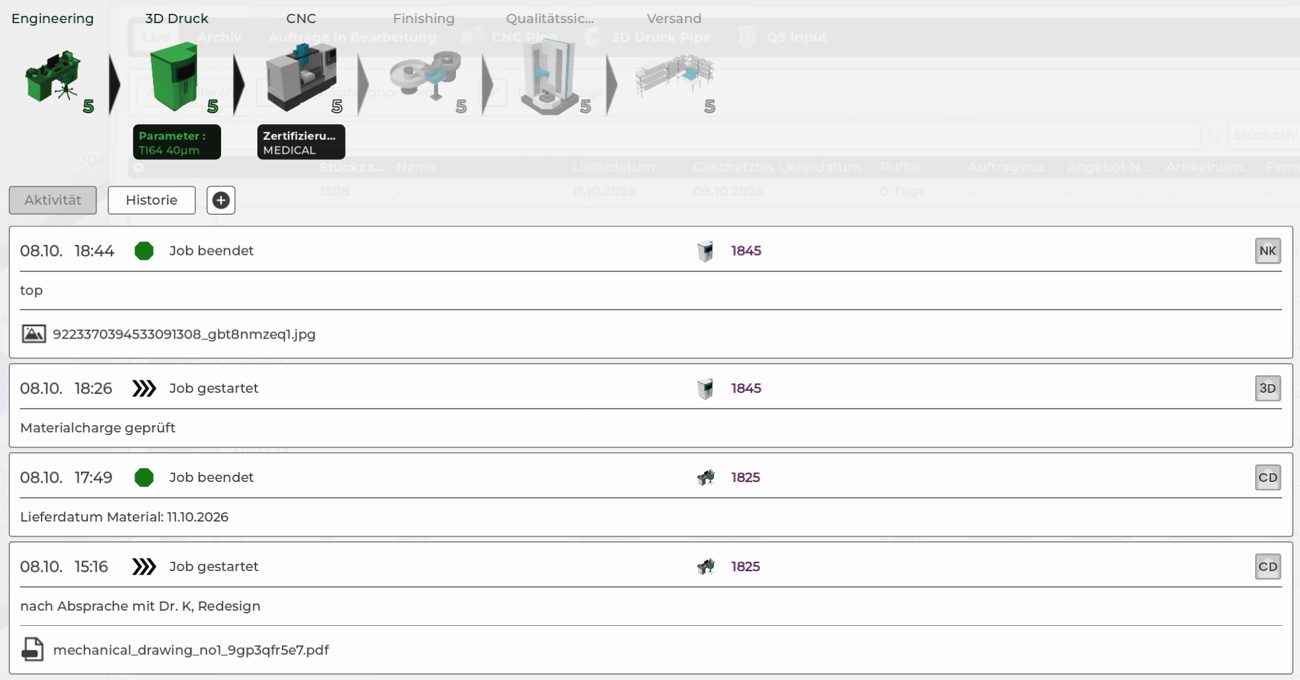
Production records are created as work happens. Every step is linked to the part, batch, operator, and time. Operators can report issues directly from the shopfloor, including photos, documents, and comments. Project managers and quality teams see the updates immediately.
Part history (demo data)“Does this make my job easier?”
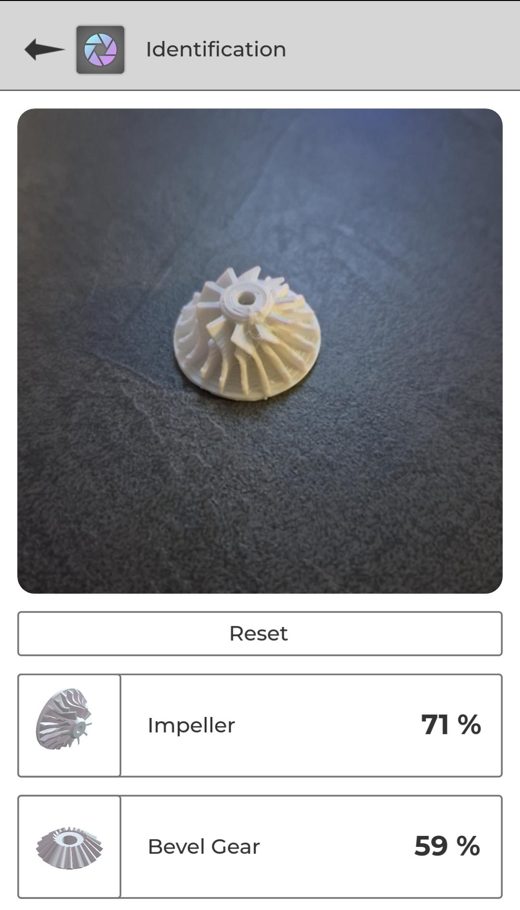
See your next production steps, drawings, specifications, and work instructions in one place. Reporting progress is as simple as using an everyday app. Take a photo of a part to identify which order it belongs to.

Wie andere Fertiger mit Holothread arbeiten
Im Einsatz in CNC-Fräsen, Funkenerosion und additiver Fertigung. Genutzt von Leitung, Arbeitsvorbereitung, Teamleitung und Shopfloor.
„[Zitat Simon, freizugeben]“[Simon, Leitung Zerspanung]
„[Zitat, freizugeben]“[Name, Rolle]
AI needs real shopfloor data.
Holothread makes it easily available.
Without reliable data, AI can't meaningfully optimize production. Yet information on waiting times, setup effort, part movements and actual workflows is missing in many companies. Holothread makes this data available as part of everyday production.
- 1 · Capture
Real data from daily production
Job starts, status updates, part transfers and issues are captured as work happens. Every event is linked to an order, part, operation and machine.
- 2 · Structure
Turn shopfloor activity into structured data
Connect production events to orders, parts, machines, and operators. Bring planned and actual times, waiting periods, and process routes together in one place.
- 3 · Optimize
Smarter decisions with real production data
On this foundation, we are developing AI features step by step for better scheduling, more accurate cost estimates and more realistic lead time forecasts. One feature is already in use: AI-powered part recognition helps operators identify parts from a photo instead of relying on paper job travelers.
First the data. Then the AI. Holothread lays the foundation today for tomorrow’s optimization.
Start small. Get productive fast.
Go live in just a few days. No machine integration required. Works with your existing hardware.
- 1Day 1: Set up your factory
We review your production workflows together and configure your shopfloor in Holothread.
- 2Day 2: Train your team
We train your pilot team and get started with your first orders.
- 3After: Test it in daily production
Run a 4–8 week pilot, then expand to additional production areas.


Your shopfloor. Your setup.
Holothread runs on Windows, macOS, Android, iOS, and in your browser. As your production layout changes, you can update machines, production areas, roles, and workflows yourself, without starting another IT project.
We build software that fits manufacturing. Not the other way around.
It all started with a conversation at a trade show about manufacturing software. We realized that many solutions were too complex, too expensive, and rarely designed around the people using them on the shopfloor. Yet everyday apps and games show how intuitive software can be. That idea became Holothread. We don't believe in digitalization for its own sake. Software needs to make a real difference in daily production.

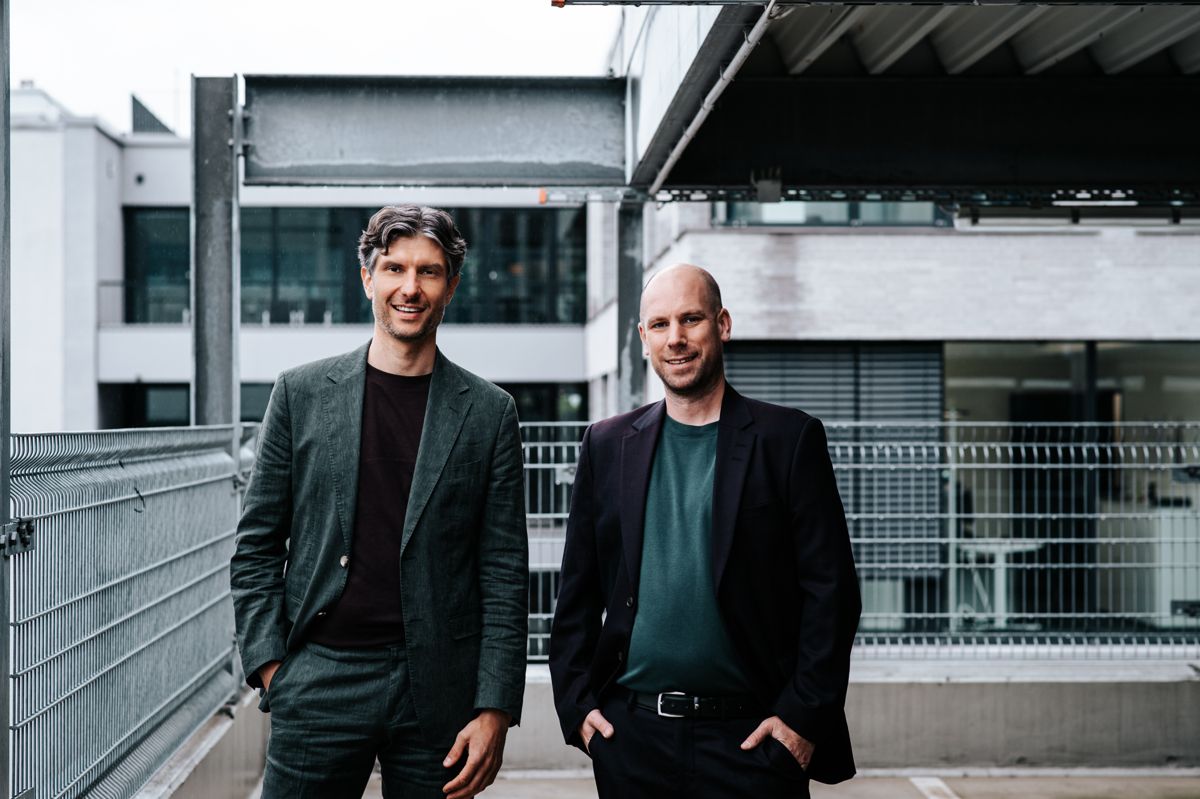
Benedikt Ebner
Benedikt studied product engineering and innovation management before spending over ten years in international technical sales. First in motorcycle technology, then in industrial machinery and manufacturing software, including roles at EOS and Oqton/3D Systems. Having worked with more than 100 manufacturing companies, he knows the challenges they face firsthand. His belief is simple: software should adapt to how manufacturing works, not the other way around.

Nils Keller
Nils has over 20 years of experience in software development for finite element analysis (FEA), simulation, and 3D visualization, with a strong focus on high-precision manufacturing. He holds a PhD in physics and co-founded Additive Works, which was acquired by 3D Systems in 2021. His belief is simple: modern software must be modular, flexible, and adapt to changing needs.
PRODUCTIONARY GmbH · Frankfurt, Germany
See your production flow in Holothread. In real time.
In just 30 minutes, tell us how you plan your orders and how parts move through your production. We'll show you how those workflows look in Holothread.

Does Holothread replace our ERP?
No. Your ERP continues to manage quotes, orders, purchasing, inventory, master data, invoicing, and accounting. Holothread focuses on the shopfloor. It connects production planning, scheduling, execution, and operator reporting in one system.
How is Holothread different from an MES?
Holothread was developed for dynamic, high-mix manufacturing with many operations and changing priorities. Especially where several orders compete for the same machines, workstations and people, and production routes change every day. At its core is intuitive, visual planning and control of the real production flow. Holothread connects orders, parts, machines and people in one shared live view. The software is up and running in a few days, needs no machine integration to get started and adapts easily when things change.
We already have an ERP with an MES module. Do we still need Holothread?
That depends on how well your current system reflects what really happens on the shopfloor. If planning, shopfloor reporting and the flow of parts are still coordinated through Excel, paper or word of mouth, Holothread closes that gap. Existing ERP and MES functions can stay in place, or Holothread can complement or replace them step by step. Data can be exchanged through interfaces or CSV imports.
Do we need machine connectivity?
No. Holothread works from day one without direct machine connections. You can add machine integrations later as needed.
How does Holothread schedule production?
Holothread recommends suitable machines, operators, and job sequences based on availability, capacity, and qualifications. You set the priorities and constraints. Holothread supports your decisions without taking away control.
Is Holothread certified?
No. Holothread provides production records and traceability data to support your quality management processes. Responsibility for certification remains with your company.
Does Holothread fit Lean Manufacturing and continuous improvement?
Yes. Every shopfloor activity adds real production data. This helps reveal waiting times, bottlenecks, and process inefficiencies. We can configure reports around your production flow to support continuous improvement.
When is Holothread not a fit?
Holothread is not designed for high-volume, repetitive production with fixed cycle times and little variation in production steps.